DEFINE & DISCOVER
Spark of Start
Where It All Started
When I joined the project, architects were still manually handling FF&E (Furniture, Fixtures & Equipment) using PowerPoint, printouts, and emails. Every architect followed their own process, leading to misalignment in documentation and difficulty in tracking approvals.
Key Problems Identified:
No standardized way to present FF&E, mood boards, and renders.
Information scattered across different tools, making tracking difficult.
The need for one unified platform to create, organize, and share FF&E seamlessly.
Through business calls and direct observations of how architects worked, we identified the gaps and set out to streamline the process.
How might we create a standardized yet flexible process for architects to manage FF&E, mood boards, and renders while making it easier to collaborate with clients?
How?
ANALYSIS & IDEATE
Ideas to the Table
The Gap
Architects faced a fragmented workflow, relying on manual product tagging and scattered tools, leading to inefficiencies and miscommunication. The lack of an integrated system caused delays and increased workload, highlighting the need for a streamlined Design Board module.
Reimaginate
Through discussions, observations, and feedback from architects, we structured our solution into core features:
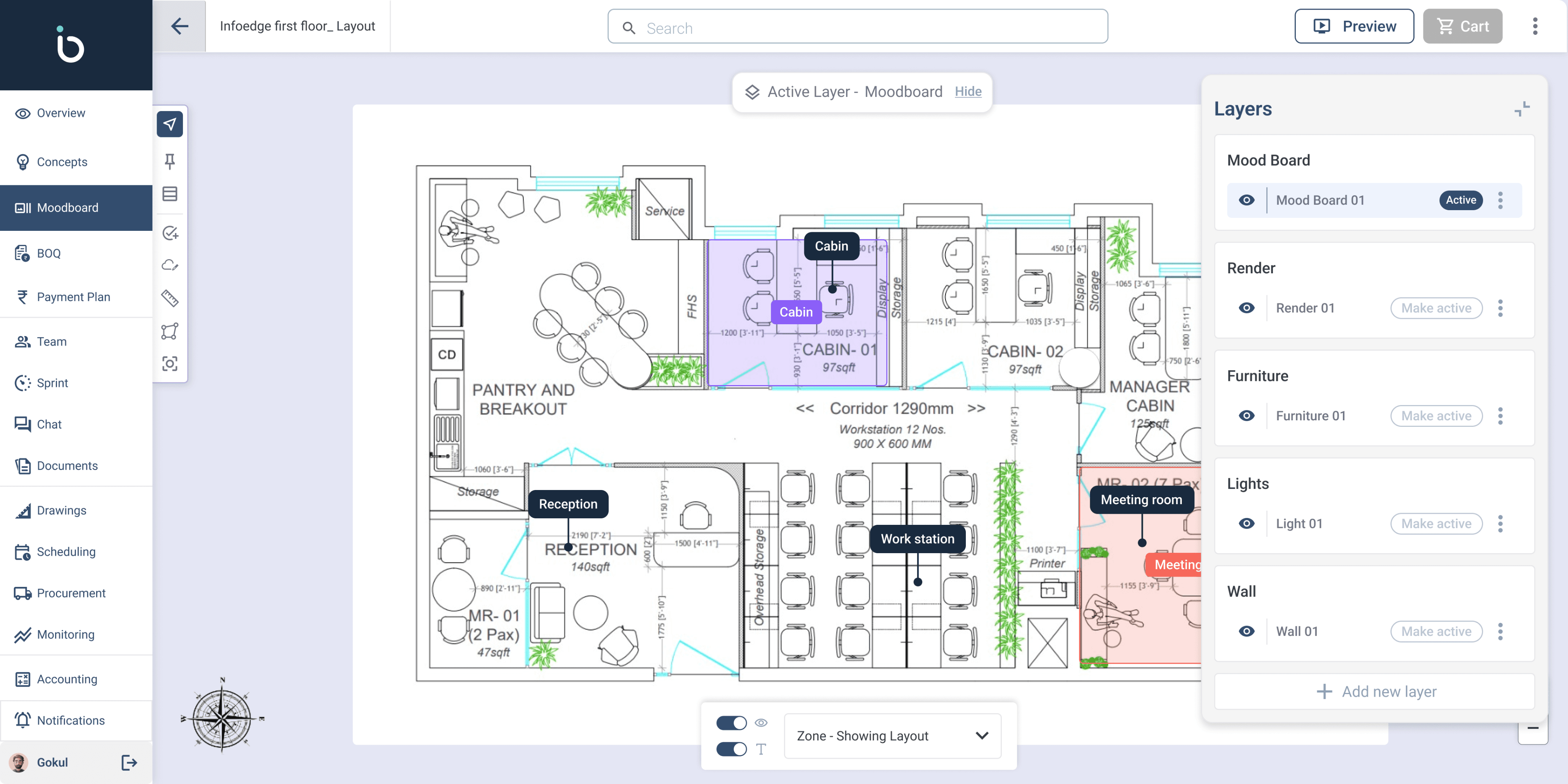
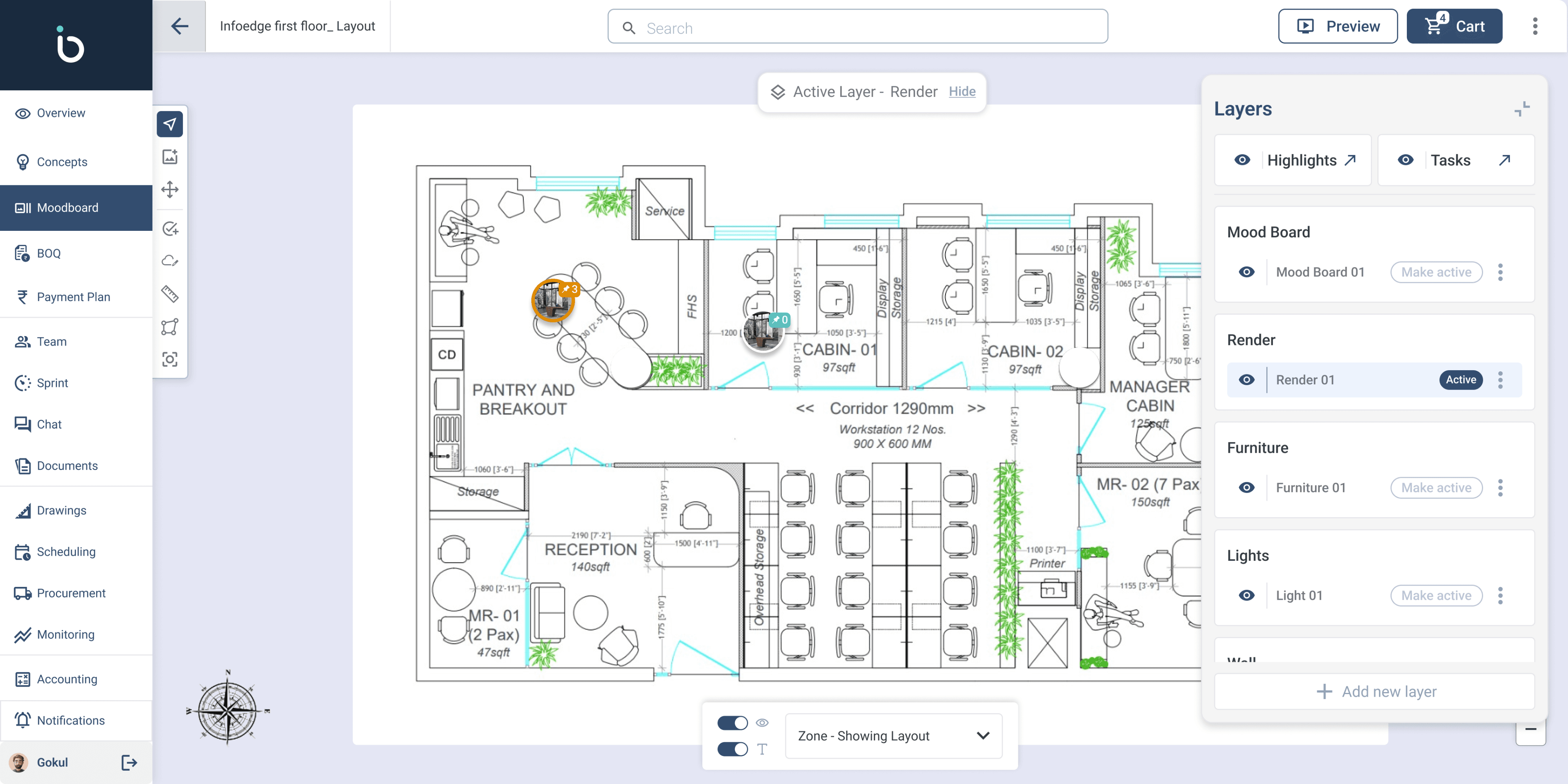
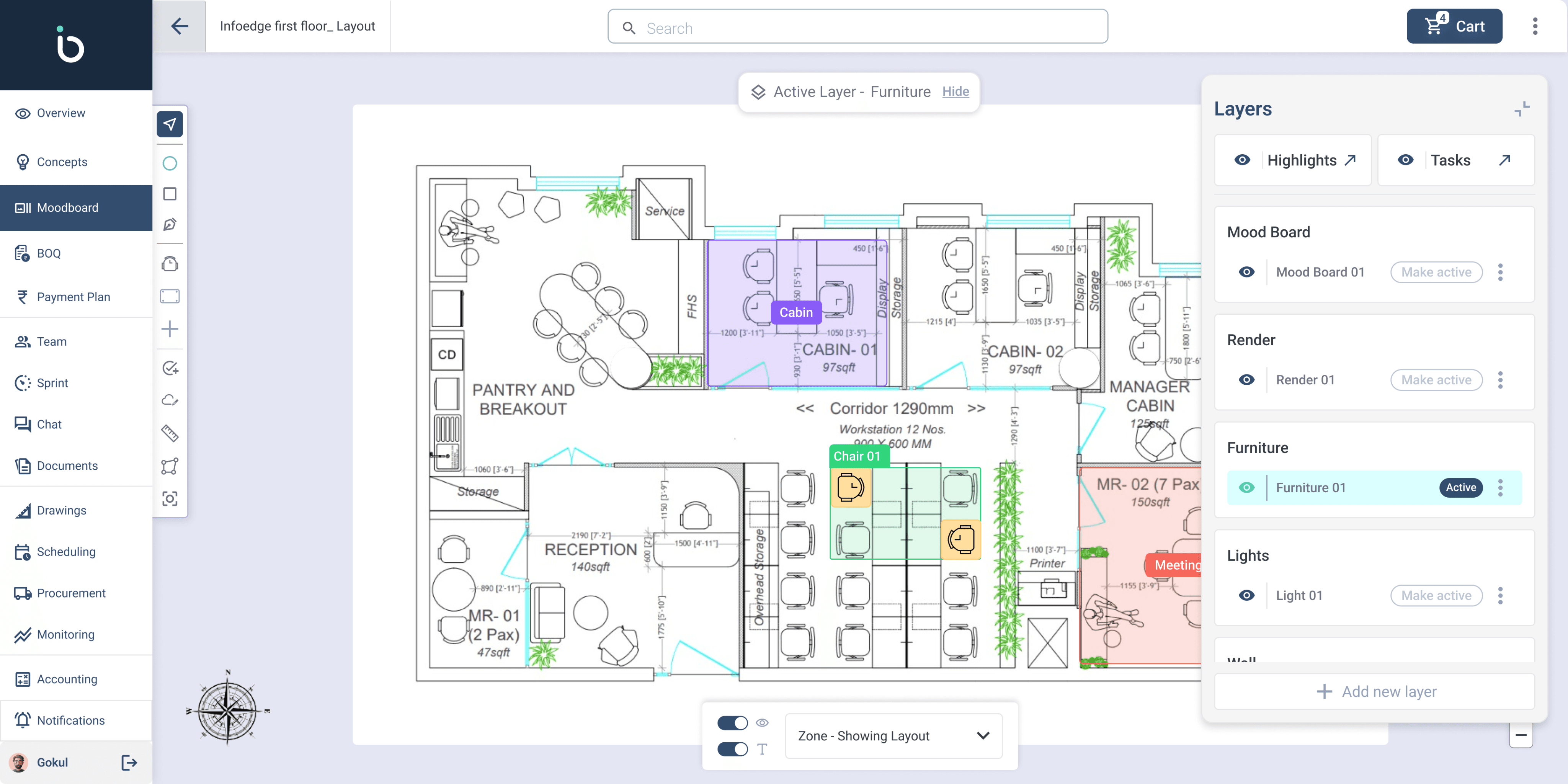
Layer-Based System – Allow architects to manage mood boards, renders, and FF&E as separate but interconnected layers on the same layout.
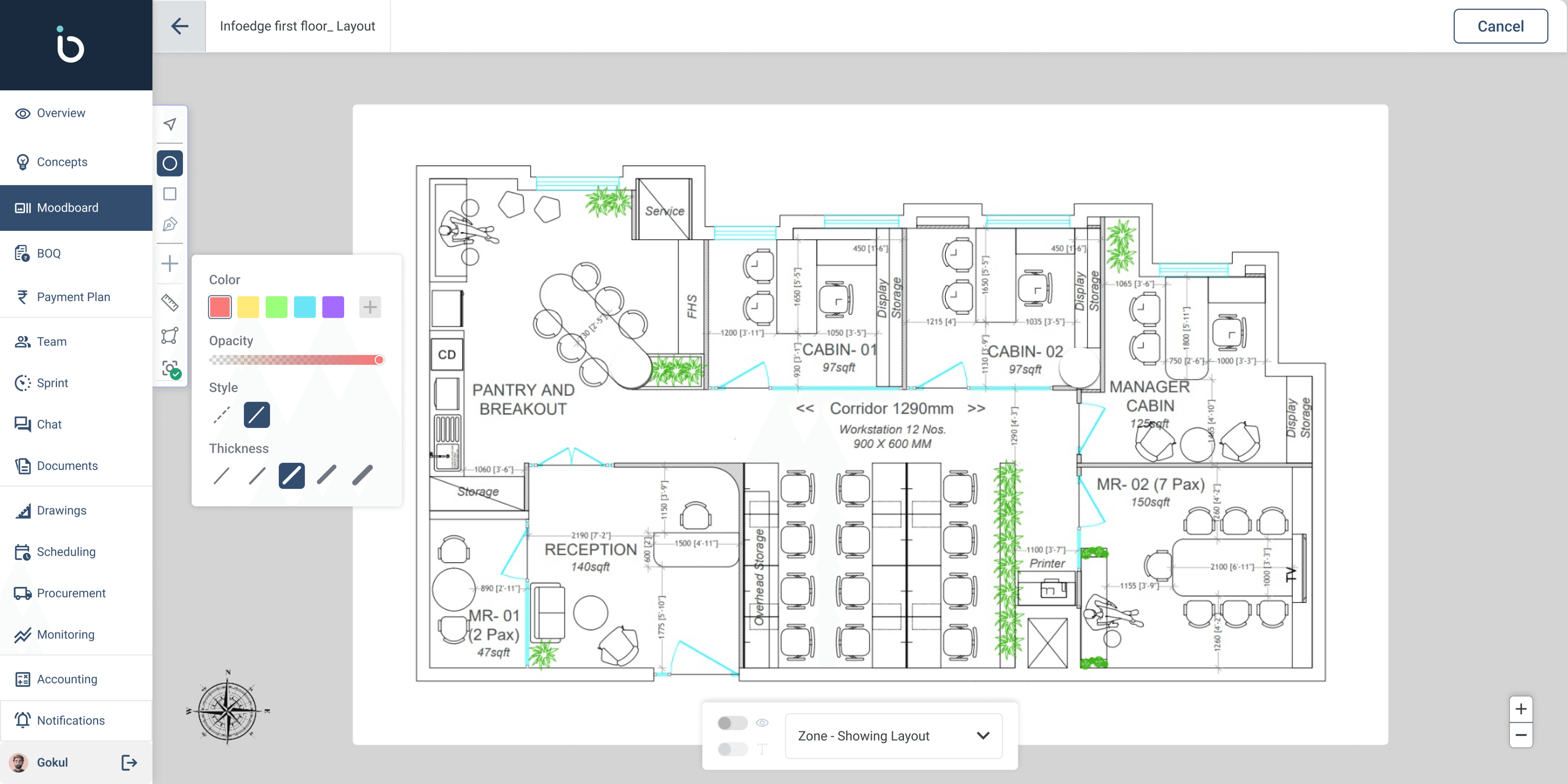
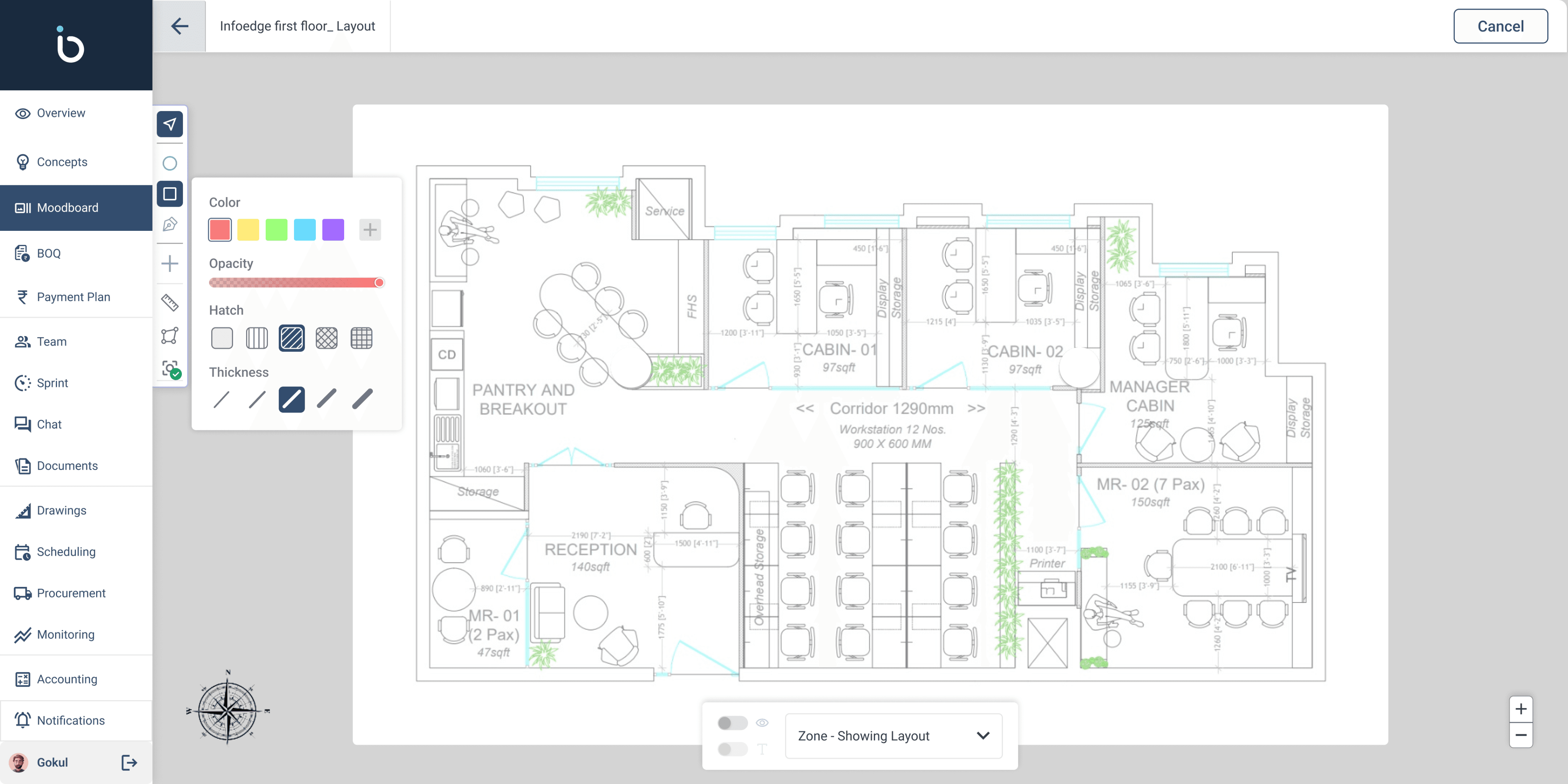
Zone Creation – Divide the design into sections (zones) for better tracking and client discussions.
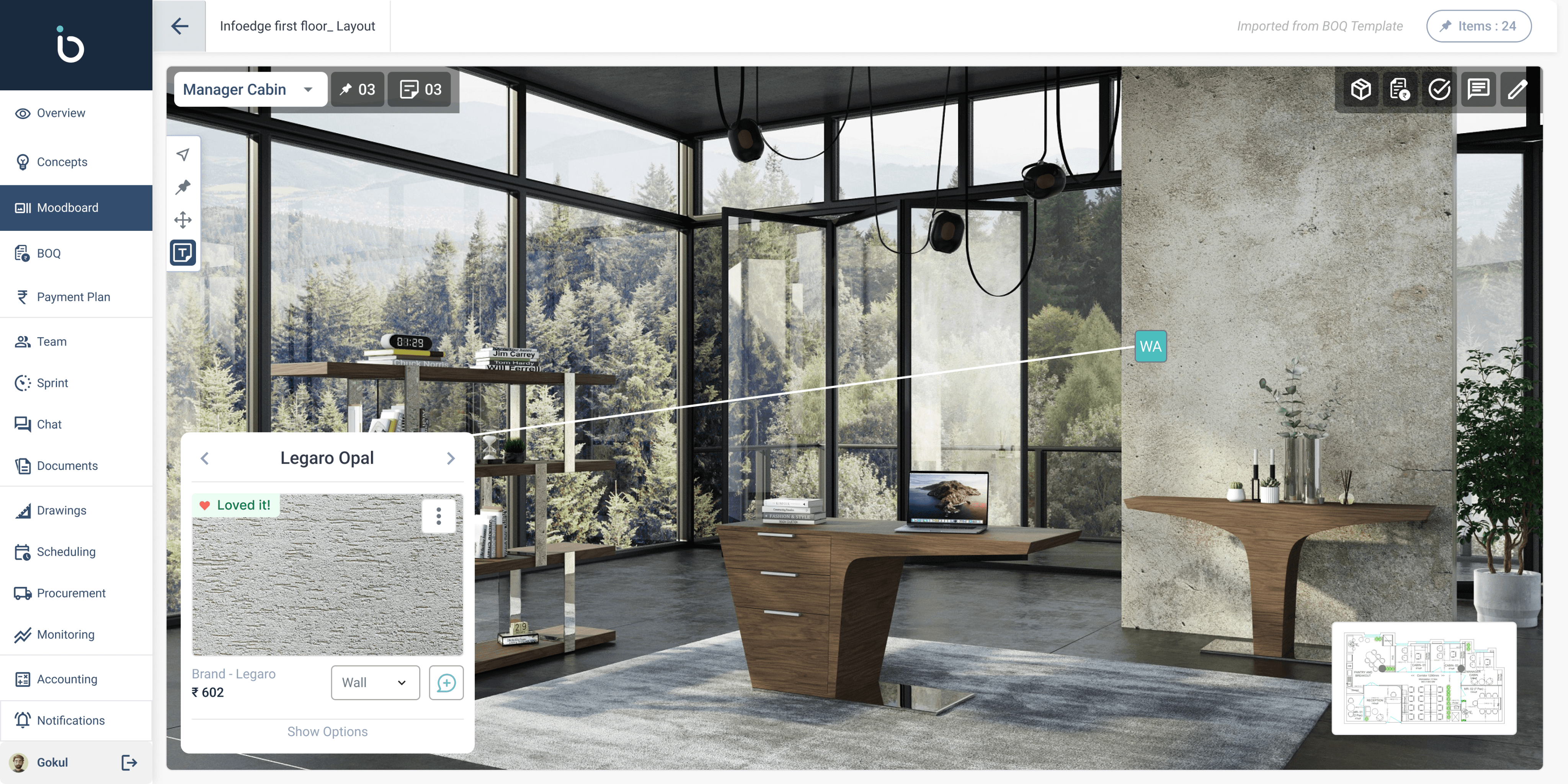
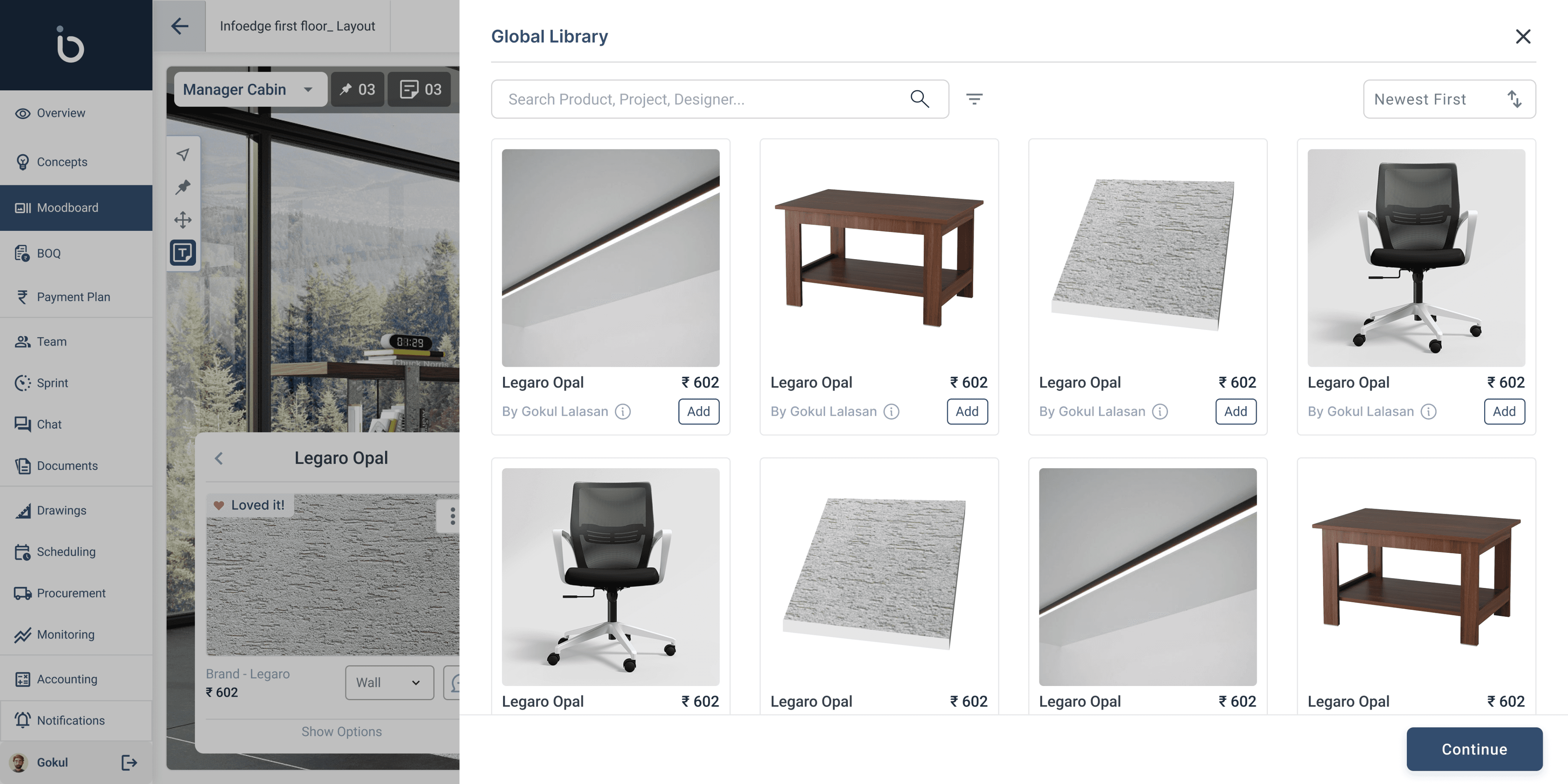
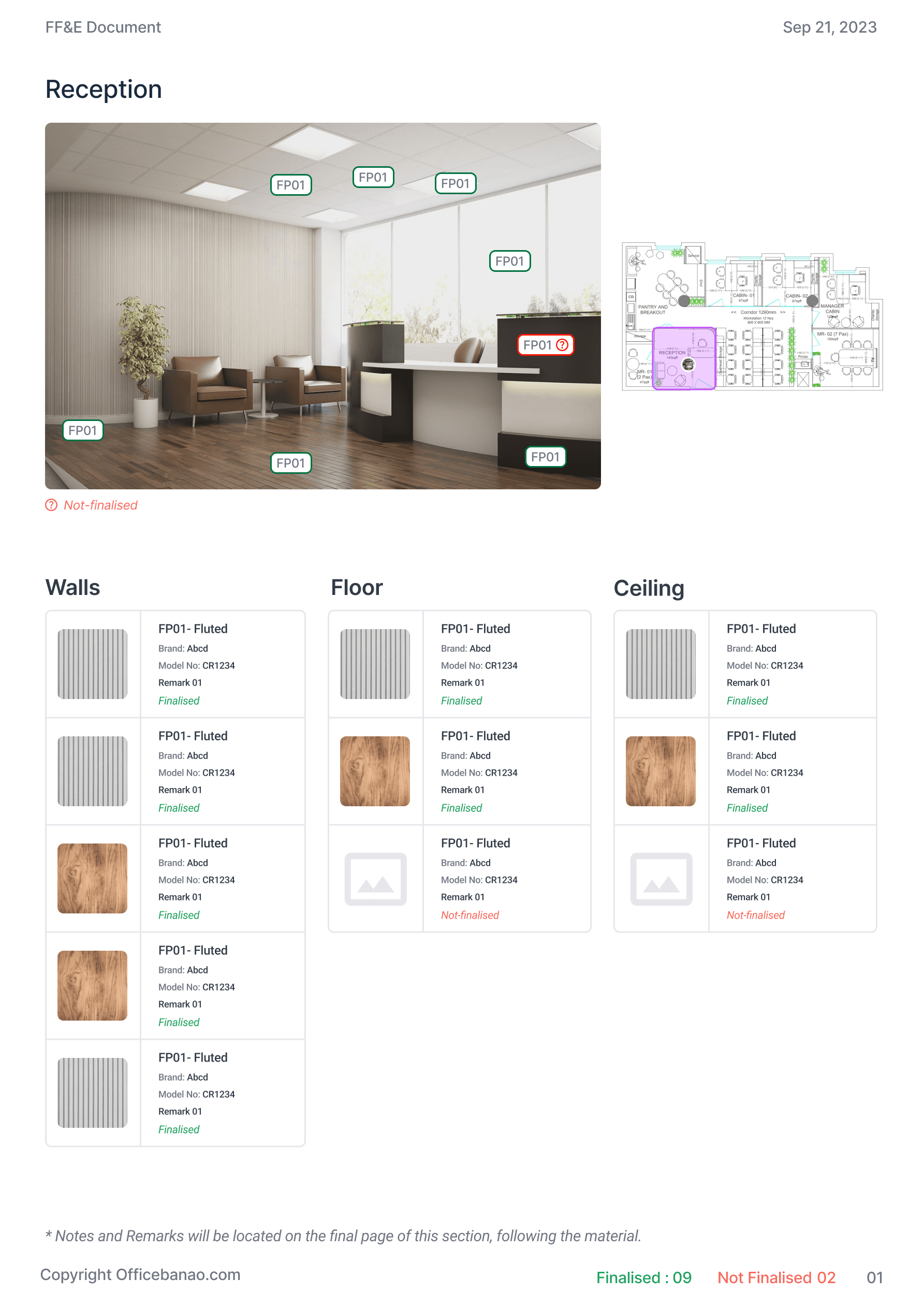
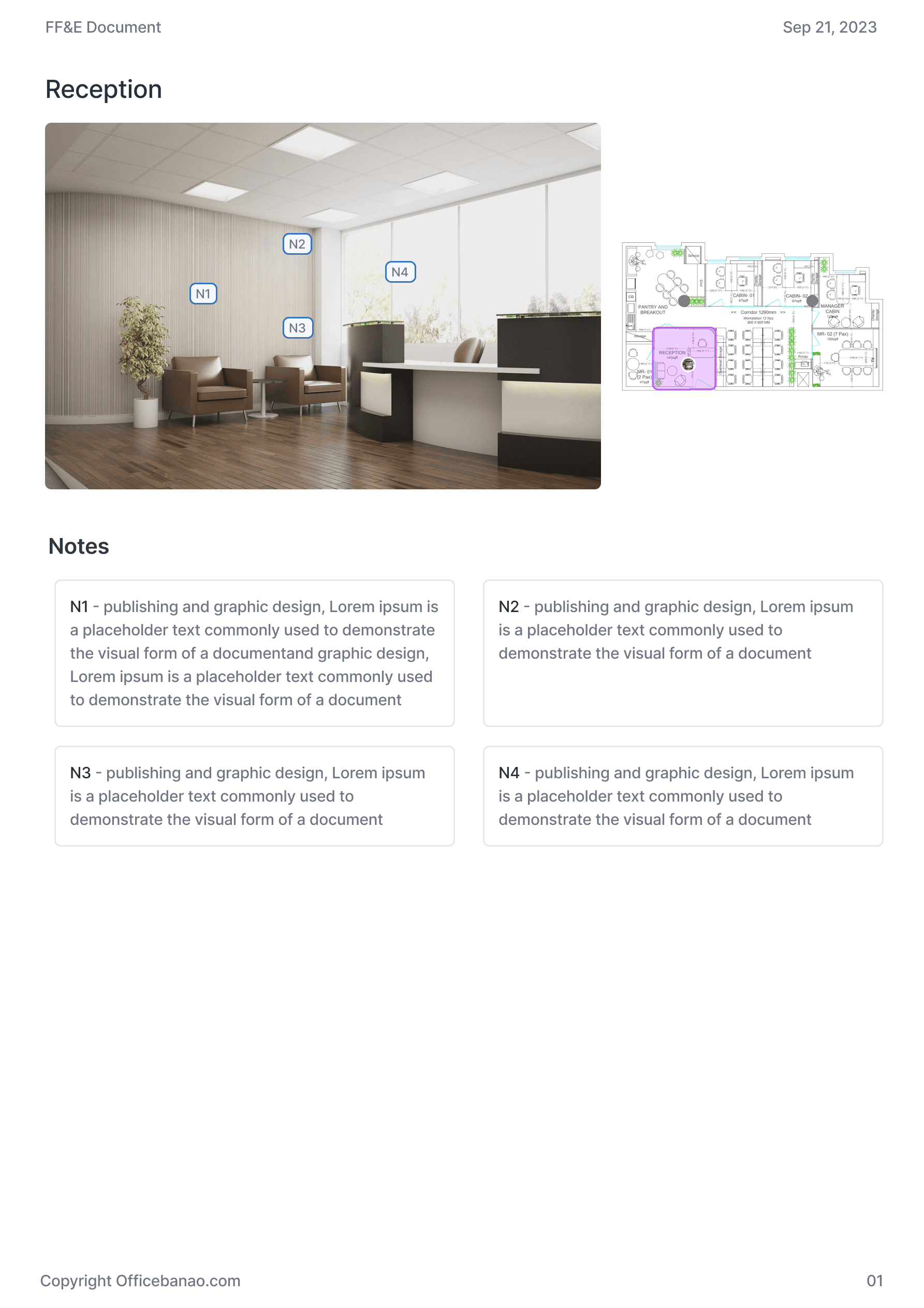
Interactive FF&E Tagging – Enable architects to tag products directly on renders and layouts for easy reference.
Instant Sharing – Provide a streamlined way to share mood boards, layouts, and product lists with clients.
Future Scope: Auto-Generated BOQ – Plan for automated Bill of Quantities (BOQ) creation based on approved selections.
Guidelines to follow
Standardization
Create a unified yet customizable process.
Seamless Collaboration
Simplify client approvals and sharing.
Layered Approach
Combine mood boards, renders, and FF&E in one.
Flexibility & Scalability
Adapt to evolving architectural needs.
SOLUTION
Concept to Creation
The Problem
Architects used inconsistent, manual methods for FF&E selection, making collaboration slow and unstructured.
The Solution
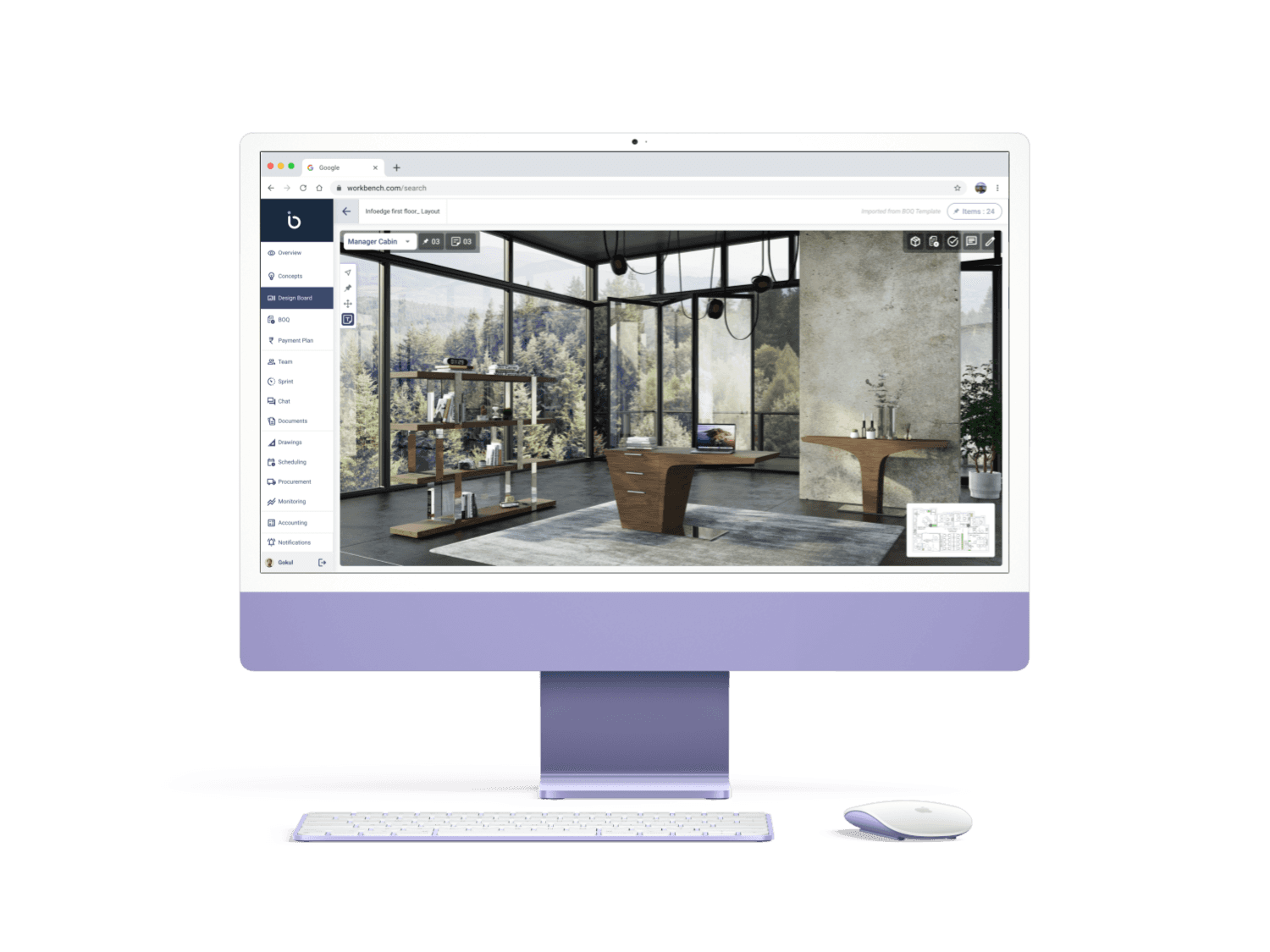
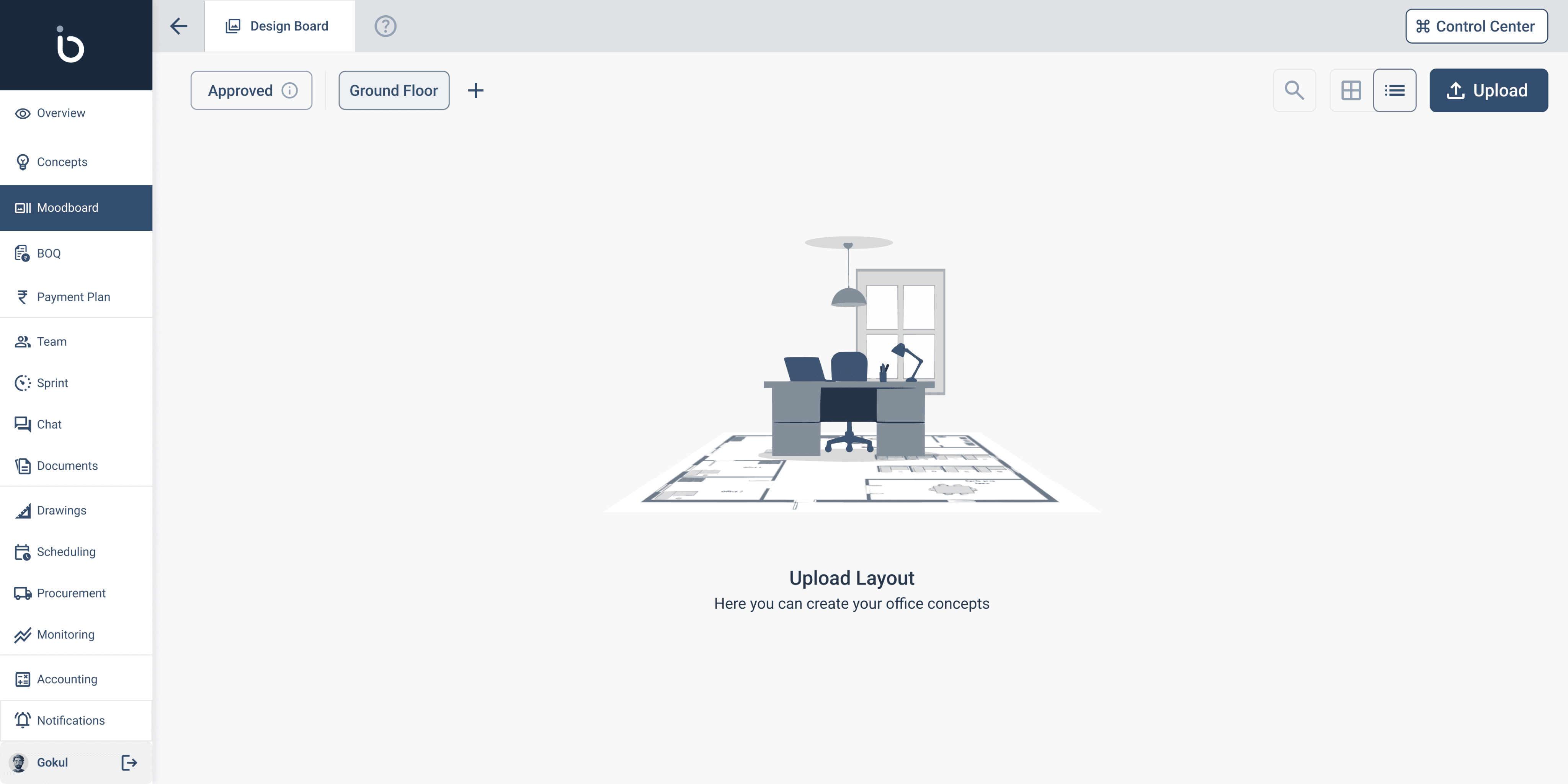
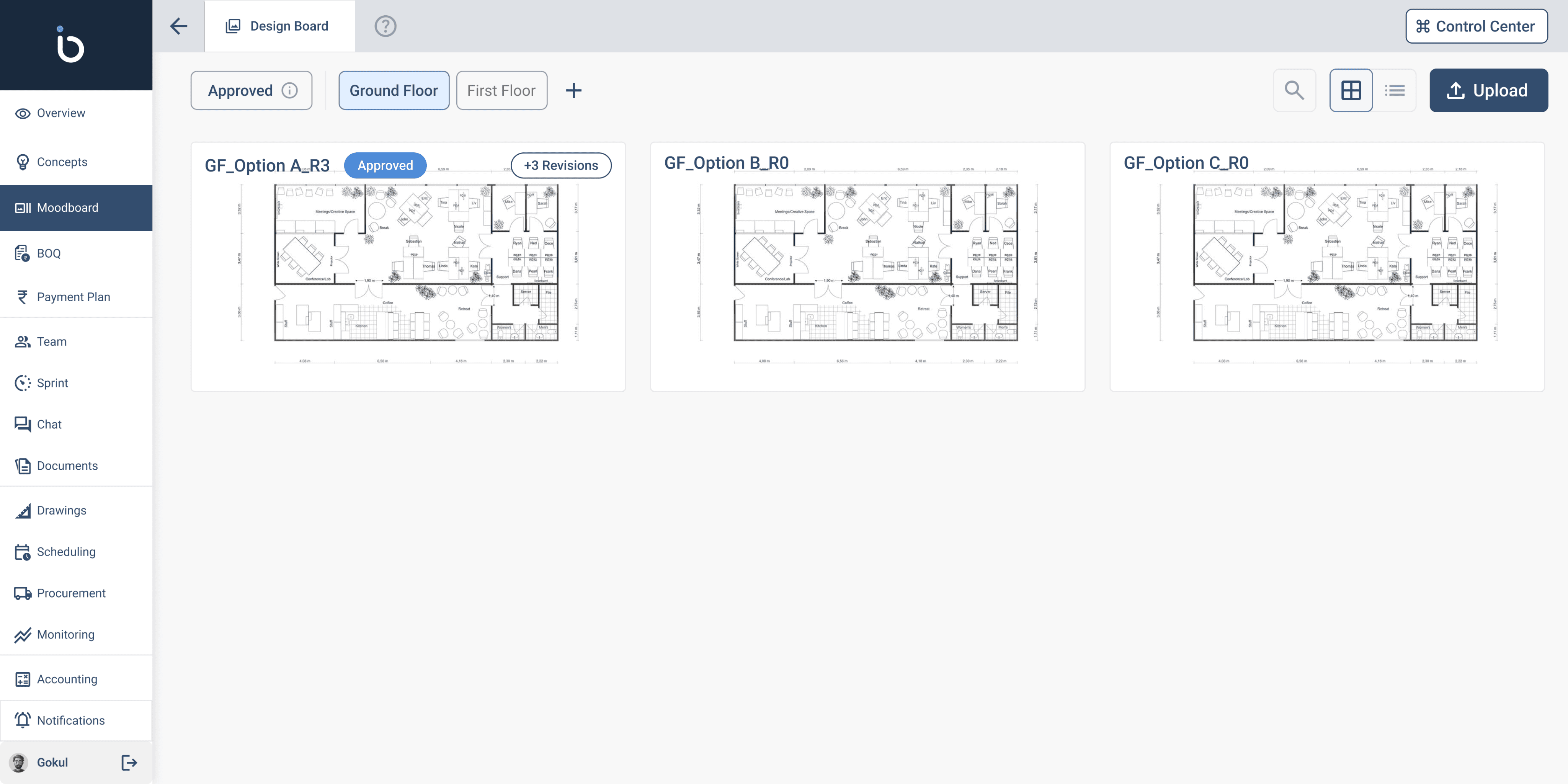
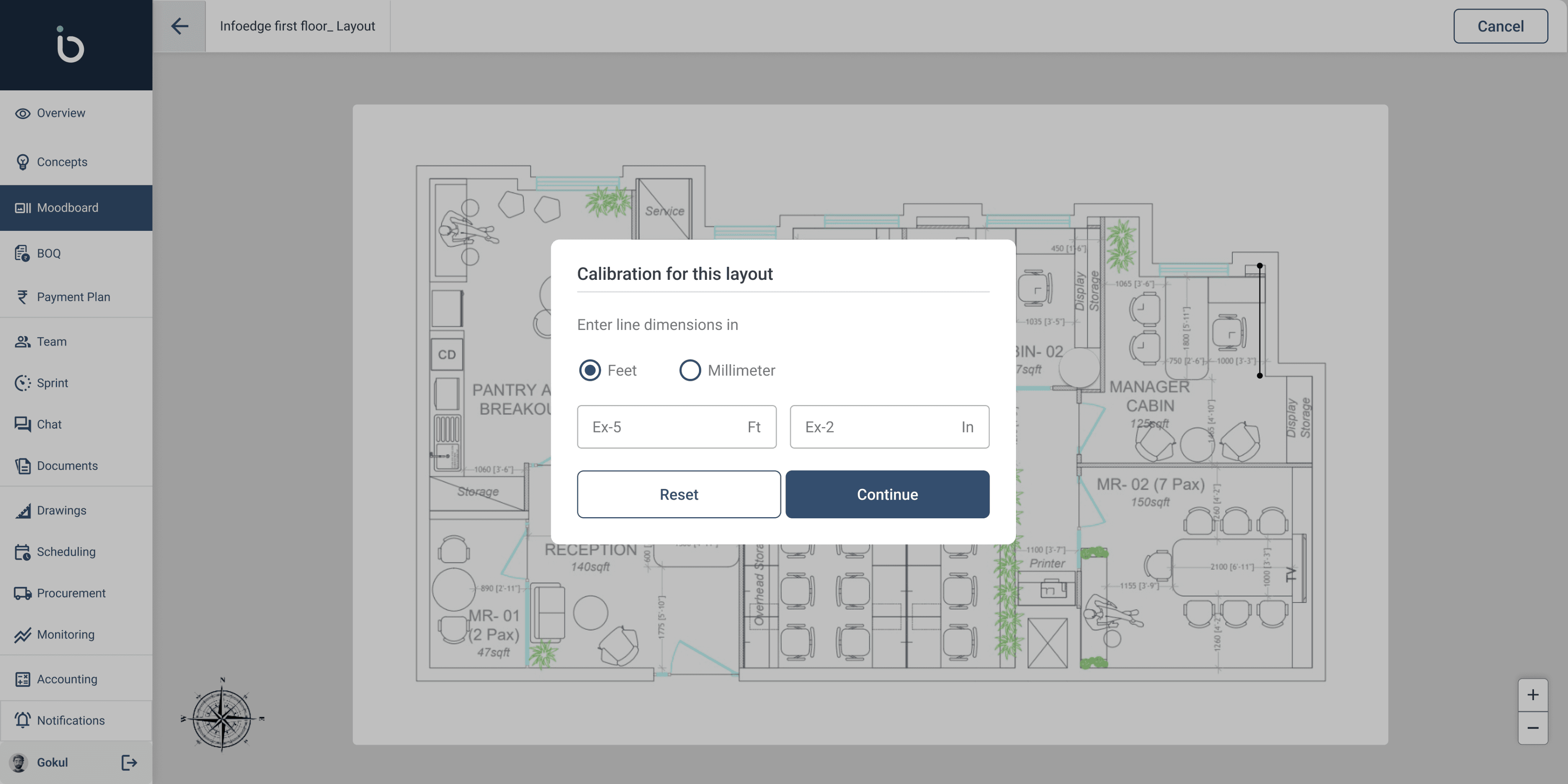
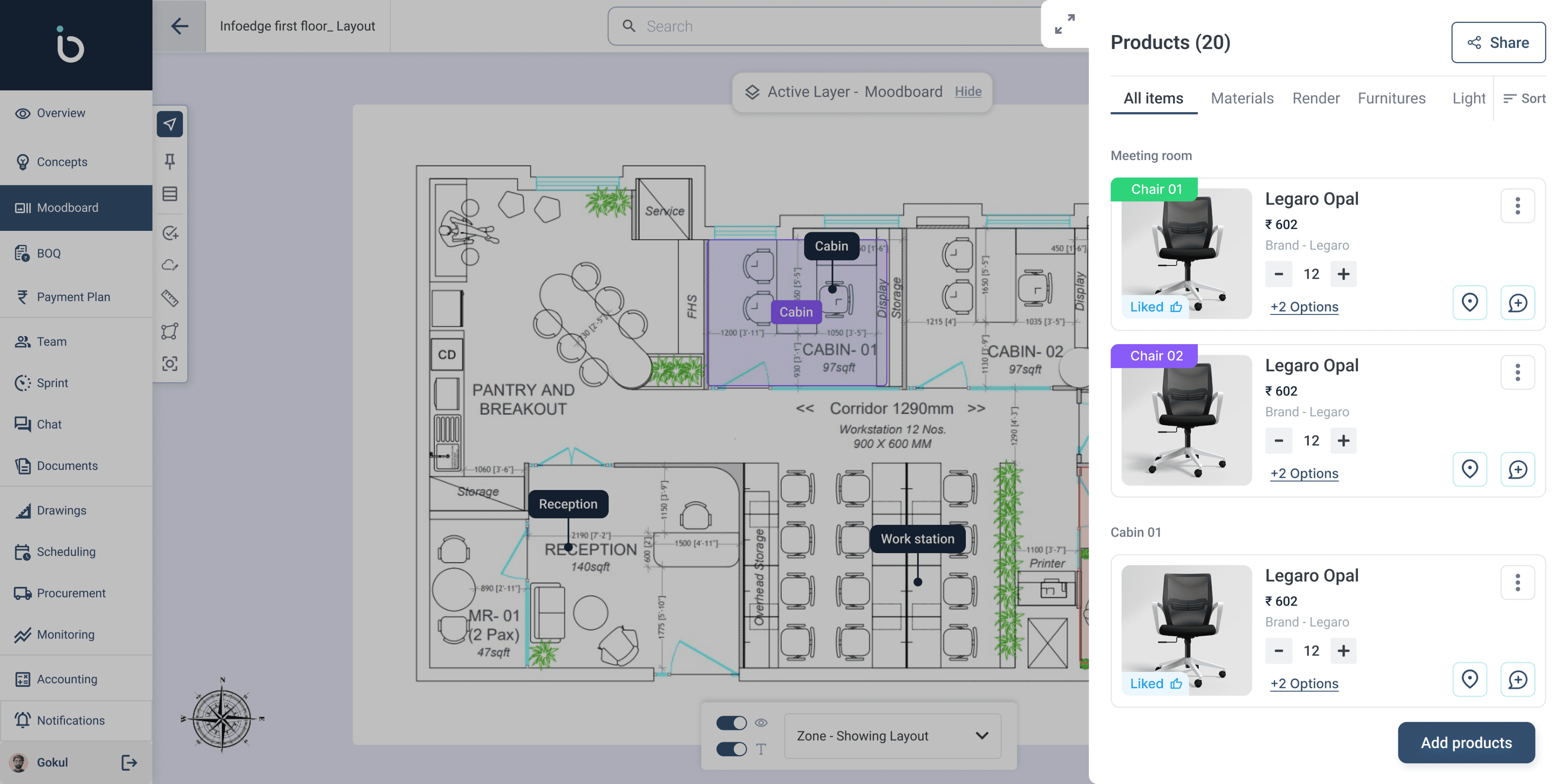
FF&E Dashboard – A centralized space for managing mood boards, renders, and product selections.
Layer-Based UI – Architects can toggle between mood boards, FF&E tags, and renders seamlessly.
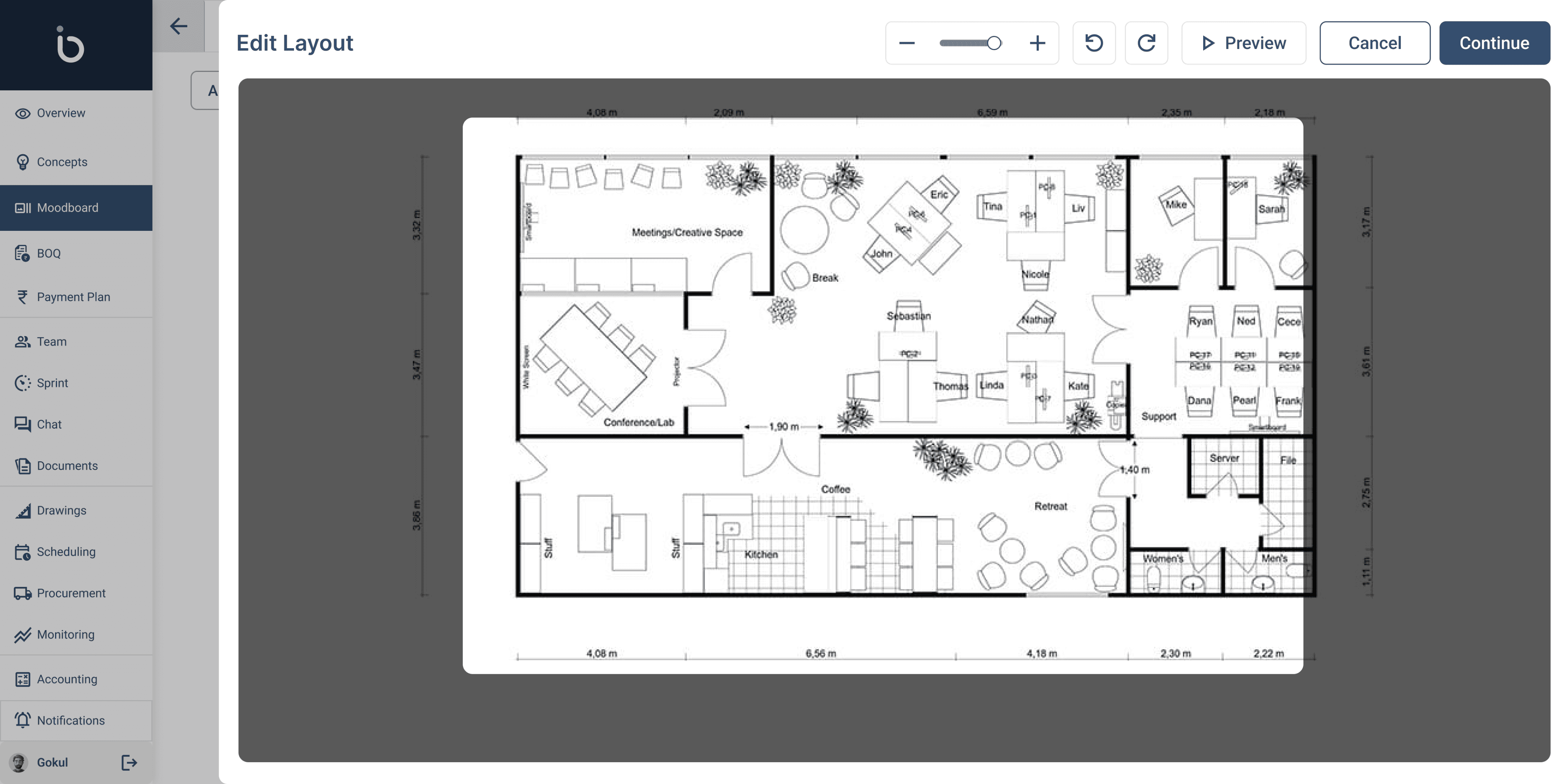
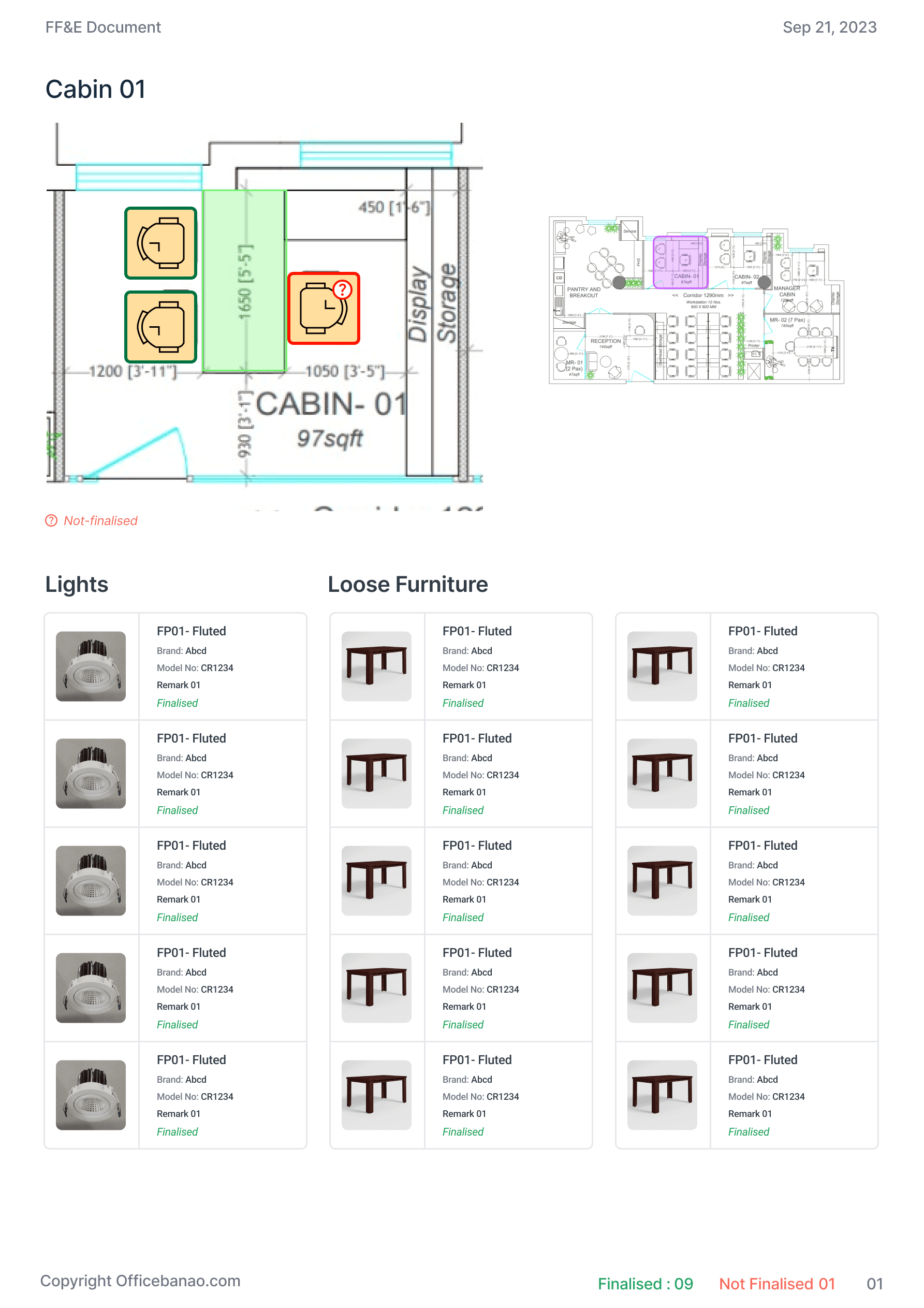
Interactive Tagging Screen – Click directly on layouts to tag products and materials.
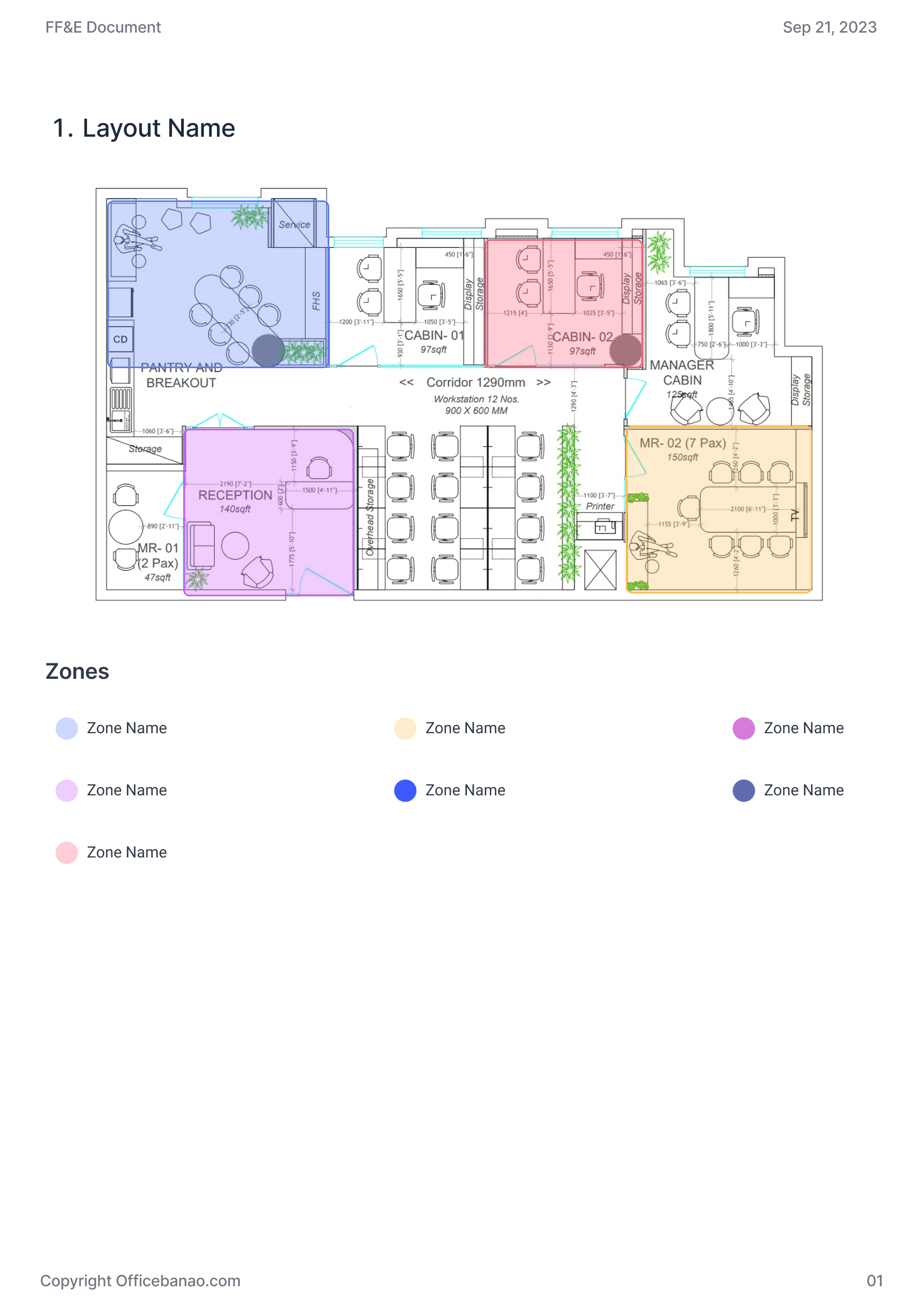
Zone Creation Interface – Assign and track FF&E within specific spaces for better organization.
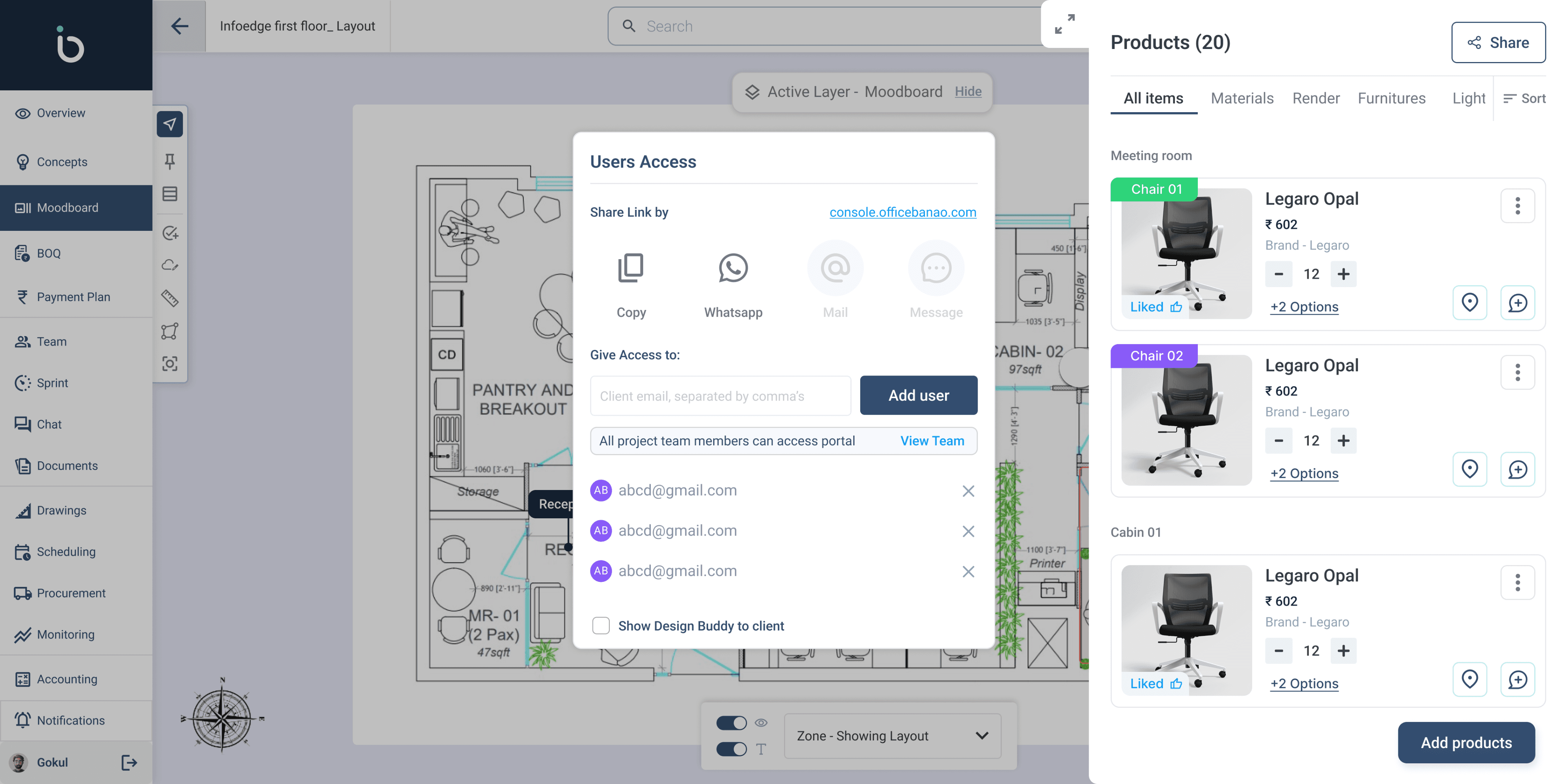
Client Sharing Screen – One-click export of mood boards and tagged layouts for approvals.
BOQ Generation Module (Future) – Auto-generate structured BOQs from finalized selections.
IMPACT & FUTURE PLANS
Flop to Favorite
Standardized FF&E Process
Over 80% of architects in the firm now follow a unified system for managing and sharing FF&E, ensuring consistency across projects.
Improved Client Collaboration
With one-click sharing, client approval time was reduced by 40%, making the process faster and more efficient.
Gradual Adoption & Training
Initially, only 20% of architects actively used the tool due to its complexity. After implementing guided walkthroughs, onboarding, and workshops, adoption increased to 65% within Four months.
Recognition & Industry Exposure
The tool was showcased in a major architectural forum in Mumbai, gaining 5+ investor inquiries for future expansion.
Scalable for Future Enhancements
With a structured foundation, upcoming features like Auto-BOQ integration aim to improve workflow efficiency by 30%.
Ownership & Rights Statement
All content, designs, and solutions presented in this case study are the intellectual property of OfficeBanao (Swash Tech Solutions Pvt. Ltd.). The work showcased reflects my contributions as a product designer; however, the rights to the project, its development, and all related materials belong solely to the company.
Explore More Work